Teleprompters cost a fortune
or look like 2009. Not this one.
Paste your script, hit roll, and read to camera. Pro follows your voice — the text scrolls as you speak and waits when you ad-lib.
Windows 10/11 · no admin needed · no account · voice never leaves your PC
Voice-follow (Pro)
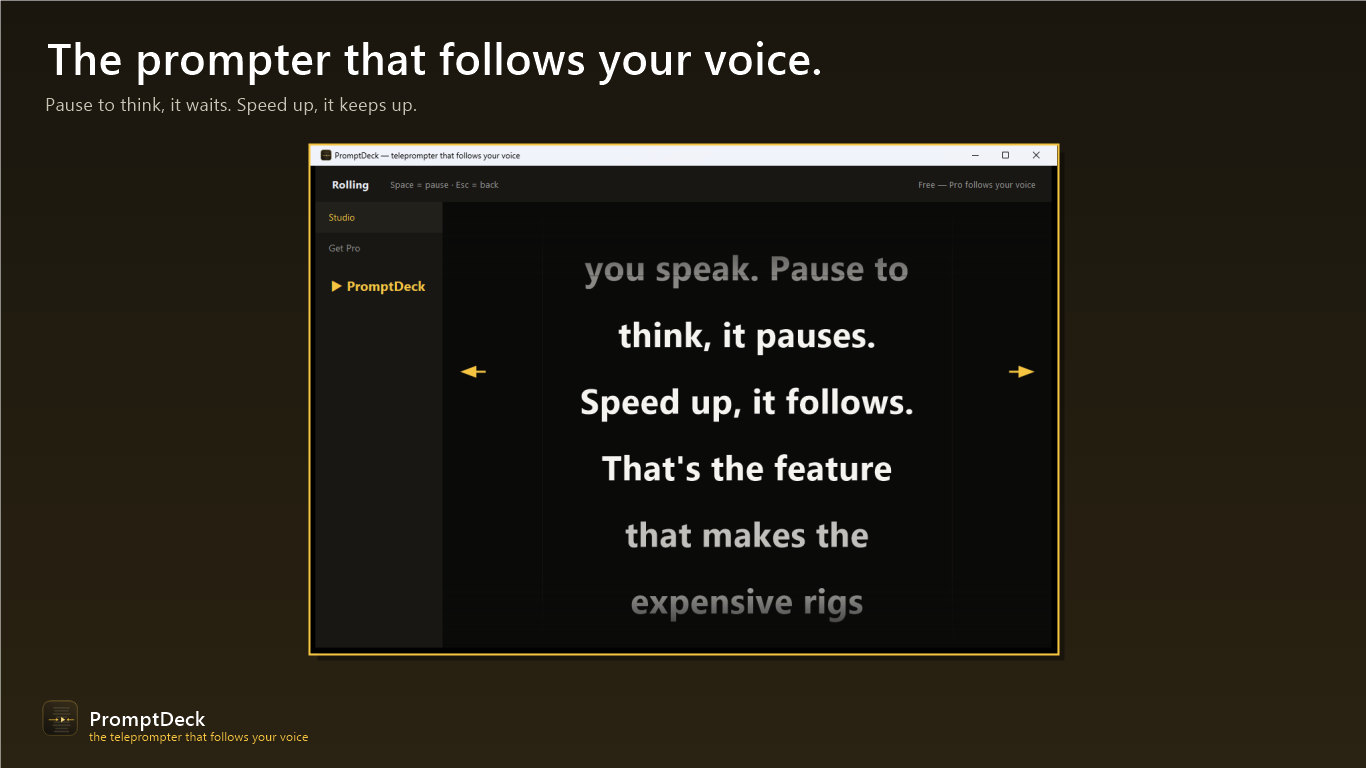
PromptDeck Pro listens as you speak and scrolls the script to match. Pause to ad-lib, it waits. Speed up, it keeps up. No pedals, no remote.
Buttery scrolling
Smooth motion with a glowing read-here line, adjustable speed and text size, edge fades — designed to be read on camera, not admired in a settings menu.
Mirror mode
Flips the text for beam-splitter glass rigs — works fullscreen on a laptop, tablet, or the phone-holding rig you already own.
Full keyboard control
Space pauses, arrows adjust speed and size, M mirrors, R restarts, Esc returns to edit. Never touch the mouse mid-take.
Paste, roll, record
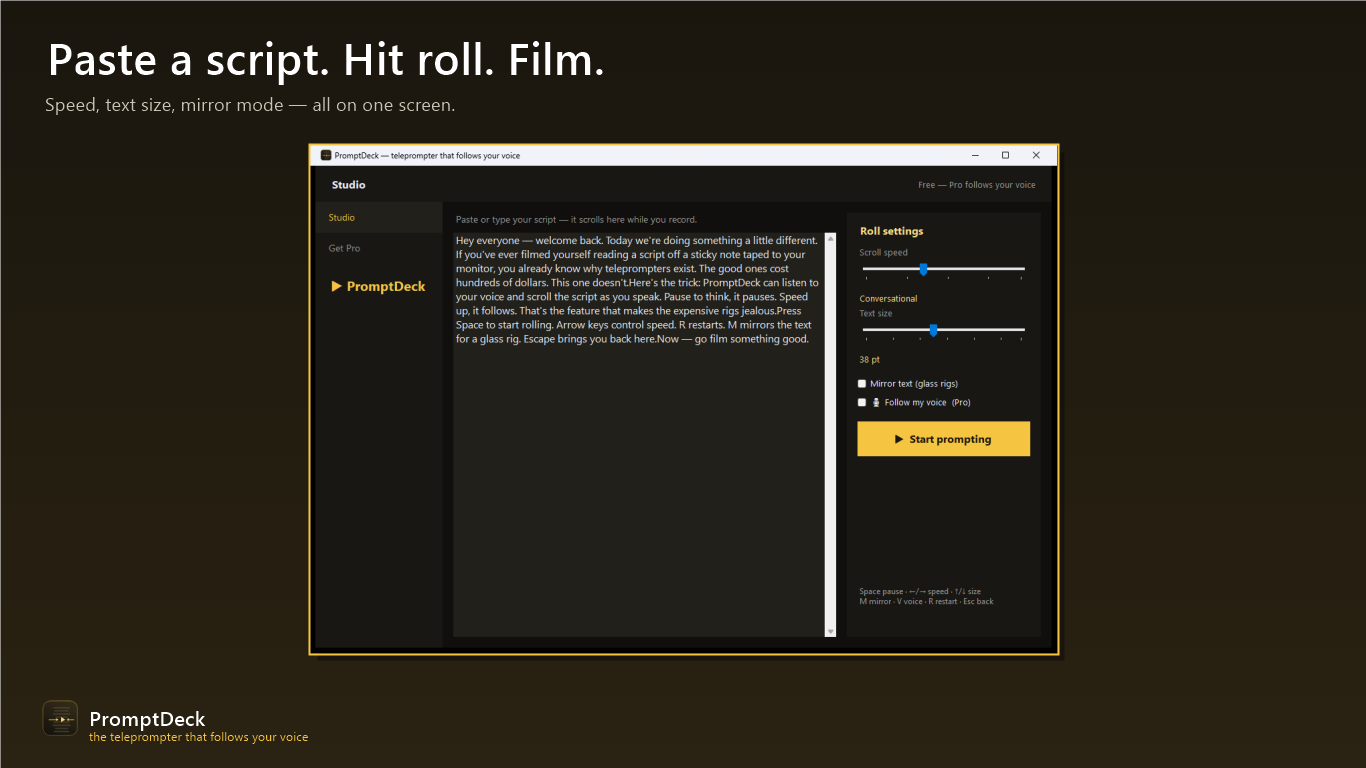
Paste your script
Type or paste — big readable type on a near-black, camera-friendly background.
Hit Start prompting
Smooth scrolling with the gold talent line. Space pauses, arrows tune speed and size live.
Let it follow you
With Pro, the script tracks your voice — ad-lib, pause, speed up, it stays with you.
Honest pricing
Free
$0 forever
- ✓ Manual prompting never expires
- ✓ Speed, size, mirror mode, keyboard control
Pro
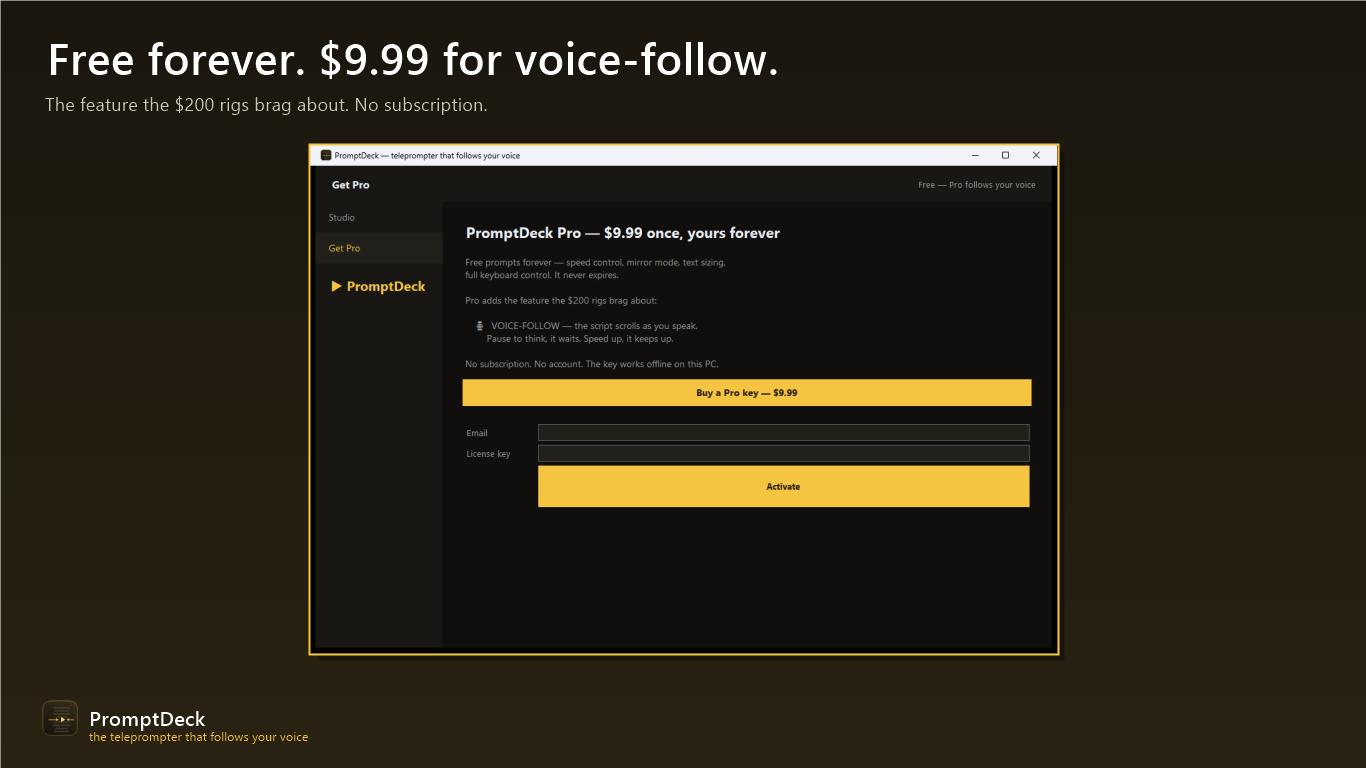
$9.99 once, forever
- ✓ Voice-follow — scrolls as you speak
- ✓ Every future Pro feature
Privacy policy
PromptDeck collects nothing. Voice-follow uses Windows' built-in offline speech recognition — audio is processed in memory, in real time, and is never recorded or transmitted. No account, no analytics, no telemetry. Full policy →
Support
Something not working, or a key that won't activate? Email thedupfinder@gmail.com and a human answers.