Your disk is full of files
you already have.
DupFinder hunts down duplicate files and photos, shows you a real preview before anything moves, and holds deletions in a safety bucket you can undo — because "oops" shouldn't be permanent.
Windows 10/11 · ~2 MB · signed by Scott Dengler · no admin needed · no account
See it before you delete it
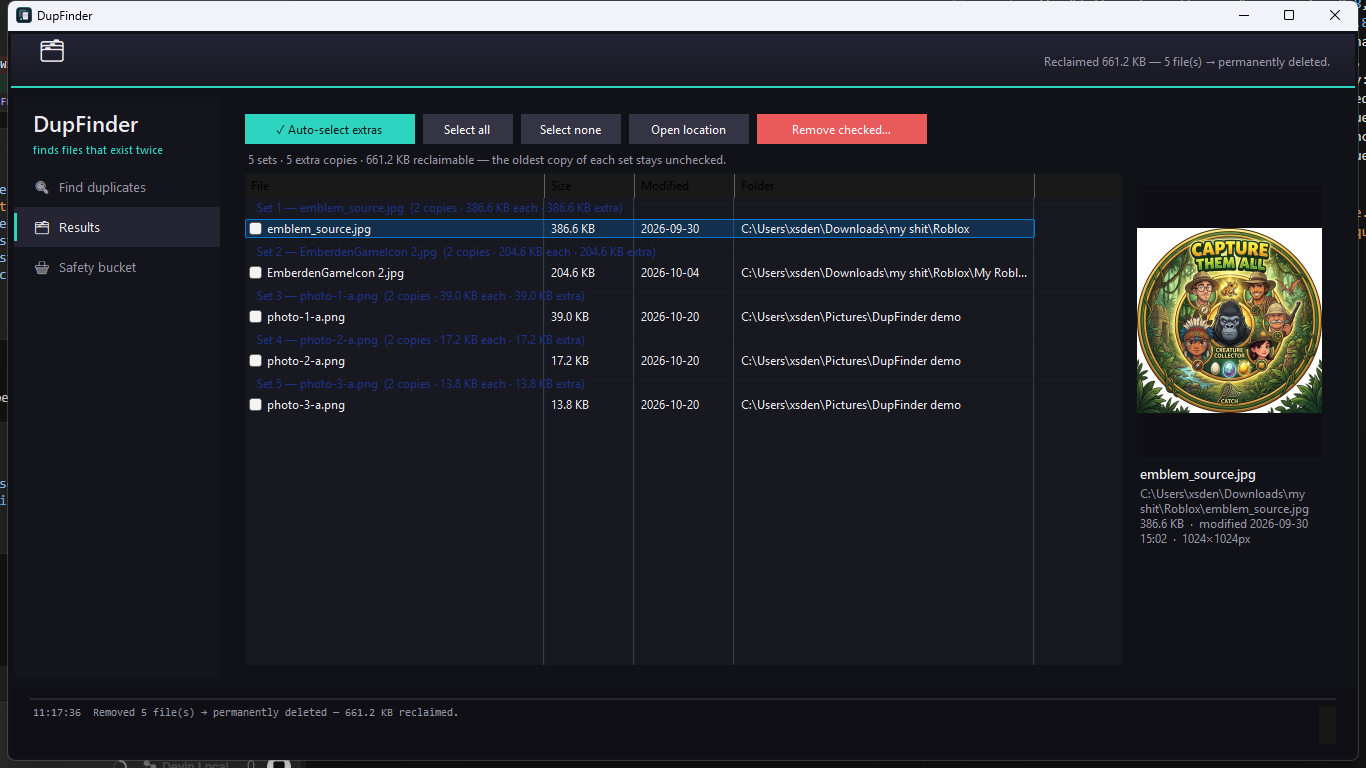
A live preview pane shows each photo and file as you select it — know exactly which copy you're keeping before anything moves.
Safety bucket
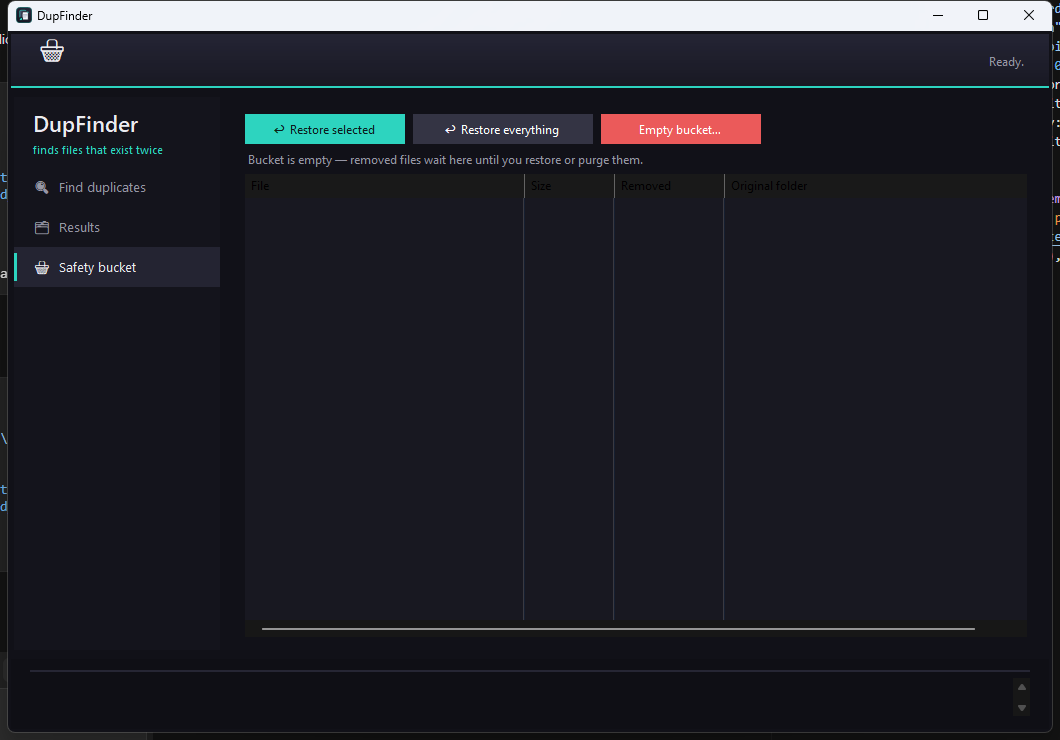
Removed files wait in a holding area instead of disappearing. Restore anything to its original spot with one click — undo is built in.
Real matching, not guesses
Size groups, quick hash, then full SHA-256. A 'duplicate' means identical bytes — not files that merely look alike.
Private by design
Runs 100% on your PC. No account, no cloud, no telemetry, no ads. Your files never leave your machine.
Three steps, zero learning curve
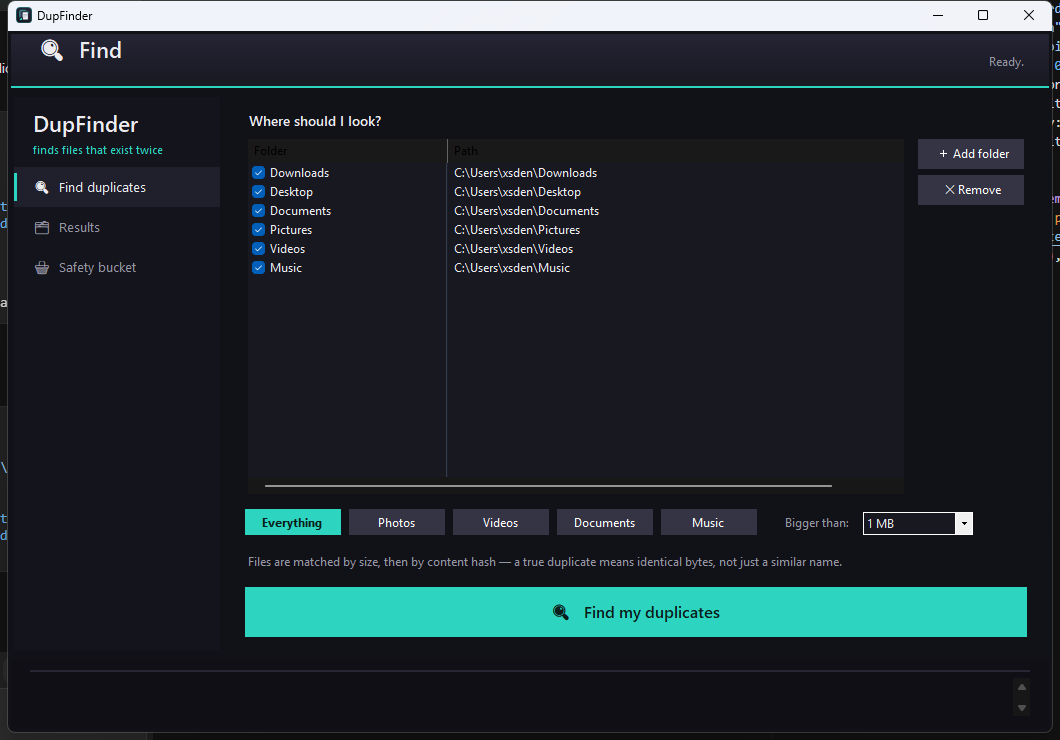
Pick where to look
Downloads, Pictures, your whole user folder — or add any drive. Choose everything, or just photos, videos, documents, or music.
Hit the big teal button
DupFinder size-matches, quick-hashes, then fully verifies candidates. Duplicate sets roll in grouped and color-coded.
Remove — without fear
Extras go to the safety bucket, the Recycle Bin, or permanent delete — your choice every time. Restore anytime.
Honest pricing
Free
$0
- ✓ 30 days of every feature — nothing hidden
- ✓ After that: scan, preview, and delete keep working forever
- ✓ Safety bucket and Recycle Bin restores stay free
Pro
$9.99 once, forever
- ✓ One-click auto-select of every extra copy
- ✓ Every future Pro feature
- ✓ Support a small independent developer
Buy a key, paste it in the app under Get Pro. Checkout coming soon — during launch week, contact us for a key.
Privacy policy
DupFinder collects nothing. It runs entirely on your computer, never connects to the internet on its own, and never sends your file names, file contents, or scan results anywhere. No account, no sign-up, no analytics, no crash reporting, no telemetry, no ads. It stores only your first-run date (for the trial) and your license key (if you activate Pro) — inside your own user profile, never transmitted. If you buy Pro, payment is handled by our payment processor under their own policy; we receive only your email to deliver your key.
Questions
›Is DupFinder really free?
Yes — everything works free for the first 30 days. After that, scanning, previewing, and deleting keep working forever; the one-click 'auto-select extras' convenience becomes part of Pro ($9.99 one-time, no subscription).
›What happens if I delete something I need?
That's what the safety bucket is for. Removed files move to a holding area instead of vanishing — open the Safety bucket page and restore any file back to its exact original folder with one click. Entries older than 30 days move to the Recycle Bin automatically, so there's always a way back.
›How does it know two files are actually duplicates?
By content, not name. Files are first grouped by exact size, then hashed — a quick hash of the first megabyte, then a full SHA-256 of everything that still matches. A reported duplicate means identical bytes.
›Does it upload my files or scan results anywhere?
No. DupFinder runs entirely on your PC. There is no account, no cloud sync, no analytics, and nothing is transmitted — the only internet call it ever makes is opening the checkout page if you choose to buy Pro.
›Does it need administrator rights?
No. It scans the folders you pick and deletes only what you check. Install is per-user — no admin required to install or run it.
Support
Something not working, or a key that won't activate? Email thedupfinder@gmail.com and a human answers.